29 Oct
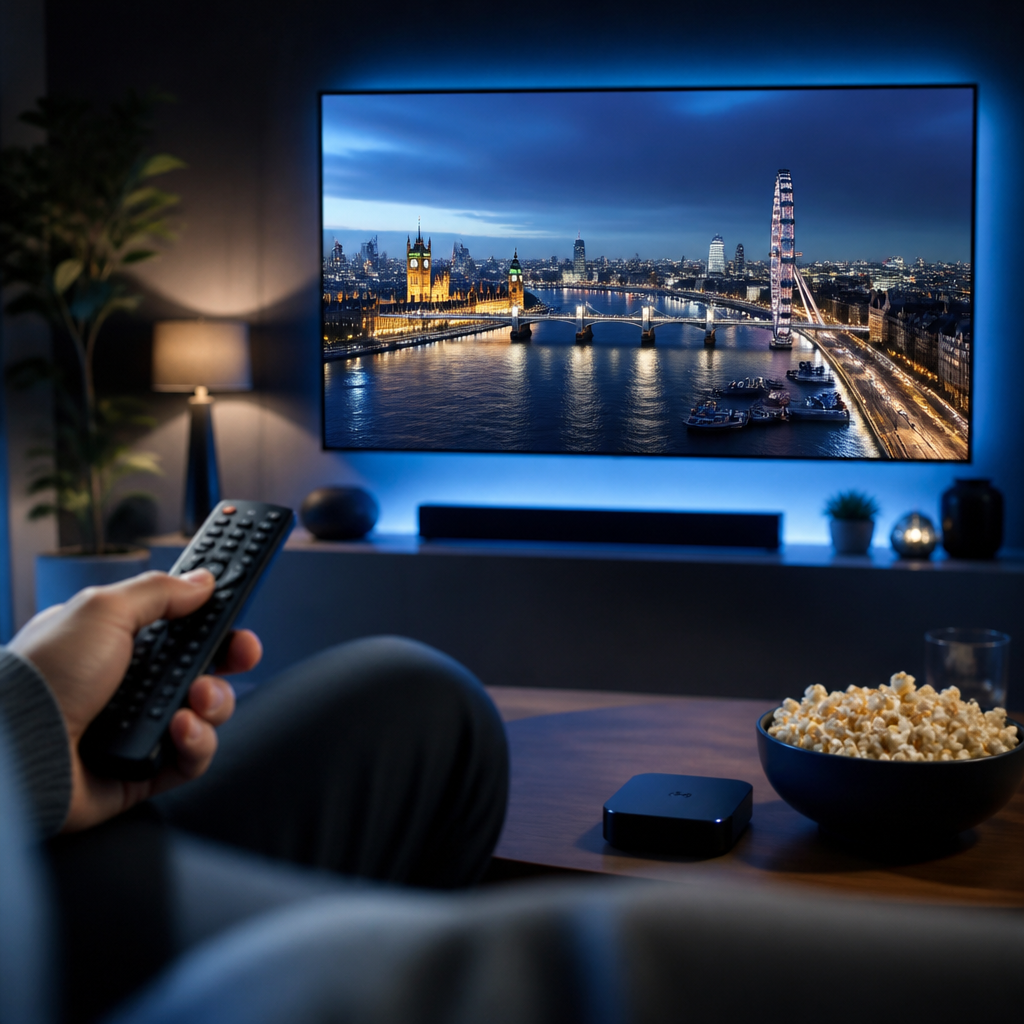
What is IPTV UK? In simple terms, it means watching television through your internet connection in the UK, rather than relying only on an aerial, satellite dish or traditional cable package.
For a lot of viewers, IPTV sounds more complicated than it really is. The good news is that the basic idea is familiar: you choose something to watch, press play, and your broadband connection delivers the video to your TV, phone, tablet or streaming device.
Mystele IPTV UK helps British viewers understand modern streaming in a practical way, without the confusing technical language. If you are comparing TV options, exploring cord-cutting, or simply trying to make better use of your Smart TV, IPTV UK can be a useful place to start.
This guide explains what IPTV means, how it works at home, what equipment you may need, how it compares with Freeview and Freesat, and which UK rules are worth knowing before you stream.
It is written for everyday viewers, not engineers. By the end, you should feel more confident about the choices, the terminology, and the simple checks that make internet TV smoother and safer.
What Is IPTV UK? The Short Answer
IPTV stands for Internet Protocol Television. In plain English, it is television delivered over the internet. The UK part simply refers to how British viewers use it in a UK home, with UK broadband, UK devices, UK viewing habits and UK rules around television licensing.
With traditional television, programmes are broadcast to everyone at the same time using an aerial, satellite dish or cable network. Your TV receives the signal and displays the channel. With IPTV, your device requests a video stream over the internet, and that stream is delivered to you as data, much like BBC iPlayer, ITVX, Netflix, NOW, YouTube or other streaming services.
IPTV can be used for several types of viewing:
- Live TV style channels delivered over broadband
- Catch-up television and recently aired programmes
- Video on demand libraries
- Films, box sets and specialist content
- Time-shifted viewing where supported
- Streaming through apps on Smart TVs and TV sticks
When people ask what is IPTV UK, they are often really asking whether it is just another name for streaming. The answer is: IPTV is a form of streaming, but the term is usually used when the service feels more like television, with channels, guides, playlists or set-top-box style viewing.
In most cases, IPTV is not about replacing every other service overnight. Many British households use a mixture of Freeview, BBC iPlayer, ITVX, Channel 4, Channel 5, subscription apps, sports passes and other streaming options. IPTV is one part of that wider viewing picture.
How IPTV UK Streaming Works at Home
IPTV works by sending TV or video data from a server to your device through your broadband connection. Instead of tuning into a broadcast signal through an aerial, your app or box connects online, requests the stream, and plays it on your screen.
For a viewer at home, the process usually looks like this:
- You open an IPTV or streaming app
- You choose a live channel, programme or film
- The app sends a request through your broadband
- The video stream is delivered in small chunks
- Your device buffers a little data ahead
- The picture plays on your screen
The small amount of buffering is important. It gives your device a cushion so the programme can continue playing if your Wi-Fi briefly slows down. If your broadband drops too low, the app may pause, reduce picture quality, or show a spinning loading icon.
Modern IPTV and streaming apps often use adaptive streaming. This means the picture quality can adjust depending on the speed and stability of your connection. If your fibre broadband is strong, you may see a sharper HD or 4K picture where available. If the connection weakens, the app may temporarily lower the quality to keep playback moving.
That is why two homes can have very different IPTV experiences. One household may stream smoothly in the living room, while another struggles because the router is hidden behind thick walls, the Wi-Fi signal is poor, or several people are gaming, video calling and downloading at the same time.
IPTV also depends on the app, device and service being used. A modern Smart TV or Fire TV Stick may perform better than an older, slower device. A wired Ethernet connection may be steadier than Wi-Fi. A well-designed app may be easier to navigate than one with confusing menus.
IPTV UK vs Freeview, Freesat, Cable and Apps
One of the easiest ways to understand IPTV UK is to compare it with the services British viewers already know. Freeview uses an aerial, Freesat uses a satellite dish, traditional cable uses a fixed network, and IPTV uses broadband.
Freeview remains a popular choice because it is simple, familiar and does not require a monthly TV package. You need a working aerial, coverage in your area, and a compatible television or box. Freesat is similar in spirit, but it uses a satellite dish instead of an aerial, which can be useful in areas with weaker terrestrial reception.
Cable and satellite TV packages may bundle live channels, sports, films, recording features, broadband and landline services. They can be convenient, but some viewers find long contracts and rising bills frustrating. This is one reason cord-cutting has become more common in the UK.
Streaming apps such as BBC iPlayer, ITVX, Channel 4, Channel 5, NOW, Netflix, Disney+, Amazon Prime Video and Apple TV+ deliver programmes through the internet. IPTV sits in the same internet-delivered world, though it may be organised more like a traditional TV guide.
Quick Comparison for British Viewers
Here is a simple comparison to help you see the differences at a glance:
- Freeview: Uses an aerial and offers free-to-air channels where coverage is available.
- Freesat: Uses a satellite dish and can help where aerial reception is weak.
- Cable or satellite packages: Often include premium channels, bundles and contracts.
- Streaming apps: Use broadband for catch-up, box sets, films and live streams.
- IPTV: Uses broadband and often presents content in a TV-like format.
The best choice depends on how you watch. If you mainly watch BBC, ITV, Channel 4 and Channel 5, Freeview or Freesat plus catch-up apps may be enough. If you follow Premier League football, Champions League matches, rugby, boxing or Formula 1, you may compare services such as Sky Sports, TNT Sports and NOW. If you enjoy flexible viewing without a dish or aerial, internet-based options become more attractive.
It is important not to assume that every IPTV service includes every channel or event. Channel availability, sports coverage, picture quality and rights can vary, and legitimate services should be clear about what they offer. Mystele IPTV UK does not need to be affiliated with broadcasters for this guide to explain the technology and help you ask sensible questions before choosing any service.
What You Need Before You Start Streaming IPTV UK
Before you start using IPTV in the UK, it helps to check a few basics. You do not need to be technical, but a little preparation can prevent many common frustrations.
In most cases, you will need:
- A reliable broadband connection
- A compatible device such as a Smart TV or streaming stick
- An IPTV or streaming app suitable for your device
- Your correct login or subscription details where required
- A stable Wi-Fi signal or Ethernet cable
- Enough household bandwidth for everyone watching
The most important part is not always headline speed. Broadband adverts often focus on maximum download speed, but streaming also needs stability. A connection that swings wildly between fast and slow can cause more buffering than a connection that is slightly slower but steady.
Think about how your household uses the internet at peak times. If someone is watching 4K content in the lounge, another person is gaming upstairs, and two phones are scrolling social media, your router has a lot to manage. Evening congestion, older routers and thick internal walls can all affect performance.
It is also worth checking your data situation. Most UK home broadband plans are unlimited, but some mobile broadband or 4G/5G routers may have fair use policies or data caps. IPTV and streaming can use a lot of data, especially in HD or 4K, so it is sensible to understand your plan.
Broadband Speed and Wi-Fi Checks
As a general guide, standard definition streaming can work on modest speeds, HD needs more, and 4K needs more again. However, the real-world experience depends on your device, app, router and how many people are online at once.
Helpful checks include:
- Run a speed test near the TV, not just beside the router
- Restart your router if speeds seem unusually poor
- Move the router into a more open position if possible
- Use Ethernet for the main TV where convenient
- Disconnect unused devices from Wi-Fi
- Check whether your broadband contract is out of date
If your fibre broadband is fast at the router but slow by the television, the issue may be Wi-Fi coverage rather than the IPTV service. Mesh Wi-Fi, powerline adapters or a simple Ethernet cable can make a noticeable difference in some homes.
For flats, terraces and older British houses with thick walls, Wi-Fi placement matters. Avoid hiding the router in a cupboard, behind the TV, near a microwave or low on the floor. Small changes can improve the signal and reduce buffering.
Devices That Work Well for IPTV in the UK
IPTV can work on many devices, but the experience is not identical on all of them. The best device is usually the one that is reliable, easy for your household to use, and powerful enough to run the app smoothly.
Common choices include:
- Smart TVs from popular brands
- Amazon Fire TV Stick and Fire TV devices
- Android TV and Google TV boxes
- Apple TV streaming boxes
- Tablets and smartphones
- Laptops and desktop computers
Smart TVs are convenient because everything is built into the television. You use one remote, open an app, and watch. The downside is that older Smart TVs can become slow, stop receiving app updates, or have limited app stores. If your TV is several years old, a streaming stick may feel much quicker.
Fire TV Stick devices are popular in the UK because they are affordable, widely available and simple to plug into an HDMI port. Android TV and Google TV devices can also be flexible, especially for viewers who like customisation. Apple TV is often praised for smooth performance and a clean interface, though it may cost more.
If you plan to stream on a Smart TV, app choice matters. Some apps are easier to set up and navigate than others, and not every app is available on every brand. For more practical help on this area, you may find our guide to choosing IPTV apps for Smart TV in the UK useful, especially if you are deciding between a built-in TV app and a separate streaming device.
For everyday viewing, ease of use is as important as features. A household with children, grandparents or guests may prefer a clean menu, readable programme guide, simple favourites list and responsive remote control over advanced settings that nobody uses.
Choosing IPTV Apps Without the Jargon
An IPTV app is the software you use to access and organise streams. It may show a TV guide, favourites, categories, search tools, catch-up options or video on demand sections, depending on the app and service.
When choosing an app, look for simple qualities:
- Clear menus that are easy to read from the sofa
- Fast loading and smooth channel changes
- Support for your specific device
- Parental controls where needed
- Reliable updates from the app developer
- Responsive customer support or help guides
Some apps require you to enter login details, a playlist URL, a portal address or an activation code. These terms can sound intimidating, but they are usually just different ways of connecting the app to a service. Always follow the instructions provided by your chosen provider and avoid sharing account details publicly.
Try not to install random apps from unknown sources unless you understand the risks. Apps outside official stores may not be checked in the same way, and they can create privacy or security concerns. If you are using a Fire TV Stick or Android device, be particularly cautious about sideloading apps from websites you do not recognise.
A good IPTV setup should not feel like a puzzle every evening. If an app is constantly crashing, losing settings, or confusing the household, it may be worth trying a better supported option. The aim is comfortable television viewing, not a technical project.
TV Licence, Legal and Safety Points in the UK
UK viewers should understand the basics of TV licensing before streaming. In the UK, you usually need a TV Licence if you watch or record live television on any channel, on any service, on any device. This can include live TV watched through IPTV, a Smart TV app, a laptop, a phone or a streaming stick.
You also need a TV Licence to use BBC iPlayer, including watching live, catch-up or on-demand BBC programmes. These rules are set by TV Licensing and can change, so it is wise to check the official guidance if you are unsure about your situation.
You may not need a TV Licence for some on-demand services if you are not watching live TV and not using BBC iPlayer. For example, watching certain subscription video-on-demand content may be different from watching live broadcasts. However, individual circumstances matter, and this guide is not legal advice.
Important points to remember:
- Live TV usually requires a TV Licence, whatever device you use
- BBC iPlayer requires a TV Licence for all viewing
- On-demand rules can differ from live viewing rules
- Students, lodgers and shared households may need extra care
- Check official TV Licensing guidance for your own circumstances
Legality is also about the source of the content. Viewers should choose services that are transparent, legitimate and respectful of broadcasting rights. Be cautious if a service makes unrealistic promises, refuses to explain what is included, or appears to offer premium sports and film content in a way that seems too good to be true.
Safety matters as well. Avoid giving payment details to websites that look unprofessional, have no clear contact information, or pressure you with countdown timers. Use strong passwords, keep your devices updated, and be wary of messages asking for account details.
Common Mistakes to Avoid
A lot of IPTV problems come from simple mistakes rather than major faults. The good news is that most are easy to avoid once you know what to look for.
Common mistakes include:
- Assuming any broadband connection will be good enough
- Placing the router too far from the main TV
- Using an old streaming device with limited memory
- Ignoring TV Licence rules for live viewing
- Choosing services based only on bold claims
- Installing unknown apps without checking safety
- Forgetting to update apps and device software
Another mistake is blaming the IPTV service before checking the home network. If every streaming app buffers, including BBC iPlayer, ITVX or YouTube, the problem is more likely to be broadband, Wi-Fi or the device. If only one app has trouble, the issue may be more specific.
Some viewers also overlook the importance of a trial or careful testing. If a service offers a legitimate way to test compatibility, use it at the times you normally watch television, not just in the middle of the afternoon when the network is quiet. Evening performance is what matters for many UK households.
Do not forget the human side of the setup. If the main viewer in the home dislikes complicated menus, choose a simpler arrangement. If children use the TV, look for parental controls. If older relatives watch, make sure the remote and text size are comfortable.
Troubleshooting IPTV UK Buffering and Picture Issues
Buffering is the most common complaint with IPTV and streaming. It can be annoying, especially during live sport, a drama finale or a family film night. In most cases, the cause is one of a few familiar issues: weak Wi-Fi, overloaded broadband, an old device, an app problem or a temporary service issue.
Try these checks in order:
- Restart the IPTV app and reopen the stream.
- Restart your streaming device or Smart TV.
- Restart your router and wait for it to reconnect fully.
- Run a speed test near the device you are using.
- Move closer to the router or use Ethernet if possible.
- Close other heavy internet activity in the home.
- Update the app and device software.
If the picture is blurry but not stopping, your app may be lowering quality because the connection is unstable. If the sound is out of sync, restarting the app or device often helps. If the app freezes on the same channel but other channels work, it may be a source-specific issue.
For Wi-Fi problems, a wired Ethernet connection is still one of the best fixes. It may not be glamorous, but it removes many wireless issues. If running a cable is awkward, mesh Wi-Fi or powerline adapters can help, though results vary depending on your home wiring and layout.
Also check storage space on streaming sticks and Android devices. A device with very little free space can become sluggish. Remove unused apps, clear cache where appropriate, and keep the system updated. If a device is many years old, replacing it may be more effective than endlessly adjusting settings.
For live sports, stability is especially important. Fast-moving HD streams need a consistent connection, and delays or buffering are more noticeable. If you plan to watch a big match, test your setup beforehand rather than waiting until kick-off.
Final Thoughts
So, what is IPTV UK in practical terms? It is television and video delivered through your internet connection, shaped around the way British viewers now watch: a mixture of live TV, catch-up, apps, Smart TVs, streaming sticks, sports, films and on-demand viewing. It can be flexible and convenient, but it works best when you understand the basics before you begin.
The most important things are simple: use reliable broadband, choose a device that suits your household, be careful with apps and account details, understand TV Licence rules, and be realistic about what any service can provide. IPTV is not magic, but with the right setup it can feel straightforward and comfortable.
If you are exploring your options, Mystele IPTV UK offers a friendly starting point for learning more about internet TV in the UK. Take your time, compare carefully, and choose a setup that makes watching television easier, not more stressful.
FAQ
What is IPTV UK in simple words?
IPTV UK means watching TV or video through an internet connection in the United Kingdom. Instead of receiving channels through an aerial, satellite dish or cable line, your device streams the content using broadband. It can include live TV style viewing, catch-up, on-demand programmes and app-based streaming.
Do I need a TV Licence for IPTV in the UK?
You usually need a TV Licence if you watch or record live TV on any channel, service or device, including through IPTV. You also need a TV Licence to use BBC iPlayer. Some on-demand viewing may be different, but you should check official TV Licensing guidance for your own circumstances.
Is IPTV the same as Netflix or BBC iPlayer?
They are related because they all use internet streaming, but IPTV often feels more like traditional television, with live channels, TV guides or playlist-style menus. Netflix is mainly on-demand, while BBC iPlayer includes catch-up, on-demand and live BBC streams. IPTV is a broader term for TV delivered using internet technology.
What broadband speed do I need for IPTV UK?
There is no single speed that suits every home, because it depends on picture quality, the app, the device and how many people are online. HD and 4K streams need more speed and stability than standard definition. A steady connection near the TV is often more important than the advertised maximum speed at the router.
Can I watch IPTV on a Smart TV?
Yes, many viewers use IPTV or streaming apps directly on a Smart TV. You may also use a Fire TV Stick, Android TV device, Apple TV, tablet or computer. If your Smart TV is older or slow, a separate streaming device can sometimes give a smoother and easier experience.