29 Oct
Best IPTV UK features can make the difference between a TV service that feels simple, flexible and enjoyable, and one that becomes frustrating after the first week. At Mystele IPTV UK, we know a lot of viewers simply want an easier way to watch television without needing to understand every technical detail.
If you are comparing TV options in Britain, the good news is that you do not need to be a streaming expert. You only need to know which features matter most for your home, your broadband, your devices and the programmes you actually watch.
This guide is written for everyday UK viewers who want clear, practical advice. Whether you are used to Freeview, Freesat, Sky, Virgin Media, NOW or streaming apps such as BBC iPlayer, ITVX and Channel 4, the aim is to help you compare IPTV services with confidence.
For a straightforward starting point, Mystele IPTV UK provides information for viewers exploring IPTV UK options and trying to understand what to look for before choosing a service.
Below, we will walk through the most important features to compare, the common mistakes to avoid, and the UK-specific points that are easy to miss.
How to Compare the Best IPTV UK Features
- Check whether the service supports your main device, such as a Smart TV, Fire TV Stick, Android TV box, tablet or mobile.
- Look for a clear electronic programme guide, simple navigation and reliable search.
- Compare catch-up, restart, favourites and recording-style features, where available.
- Review picture quality options, including HD, Full HD and 4K support, without assuming every stream will always be 4K.
- Make sure your broadband speed, Wi-Fi coverage and router can handle streaming in your home.
- Check customer support, setup guidance, trial options and cancellation terms before paying.
- Consider UK legal and TV Licence responsibilities, especially for live TV and BBC iPlayer.
Those seven steps are the quick version. In most cases, they will help you rule out unsuitable services before you spend money or spend an evening trying to make an app work on the wrong device.
The longer answer is that the best IPTV UK features are not the same for every viewer. A sports fan may care most about smooth live streaming and quick channel switching. A family may care more about profiles, parental controls and catch-up. Someone replacing an old TV package may want a familiar guide, simple remote control navigation and support for their living room Smart TV.
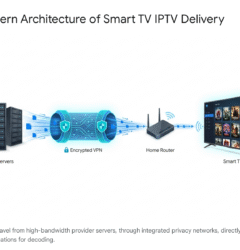
It is also worth remembering that IPTV is a delivery method, not a single type of content package. IPTV simply means television delivered over an internet connection. That can include legitimate subscription services, broadcaster apps, telecoms TV services and specialist IPTV platforms. If you are still getting familiar with the basics, this British guide to what IPTV UK means is a useful companion to this feature checklist.
Why the Best IPTV UK Features Matter for British Viewers
Choosing a TV service used to be fairly simple. You picked an aerial, a satellite dish or a cable package, then watched whatever came through the set-top box. Today, British viewers have far more choice, but that choice can feel confusing.
Many homes now mix several viewing habits:
- Freeview or Freesat for familiar live channels
- BBC iPlayer, ITVX, Channel 4 and My5 for catch-up
- Netflix, Disney+, Prime Video or Apple TV+ for films and box sets
- NOW for flexible entertainment or sport passes
- Smart TV apps built into the television
- Streaming sticks in bedrooms or kitchens
An IPTV service may fit into that mix, but only if the features suit your home. A service that looks good on paper may feel poor if the guide is awkward, the app keeps buffering on your Wi-Fi, or you cannot find the programmes you want quickly.
Feature comparison matters because it helps you focus on real-life use rather than shiny claims. Instead of asking, “Which service has the biggest list?”, ask, “Which service works best on my TV, with my broadband, for the way I watch?”
That shift makes the decision much easier. It also helps you avoid paying for features that sound impressive but add little value to your household.
Device Compatibility: Start with the Screen You Use Most
The first feature to compare is device compatibility. It sounds obvious, but a lot of viewers start by looking at channel lists or pricing, then only later discover that the service is awkward to use on their main television.
Before choosing any IPTV service, check whether it works smoothly on the devices you already own. Common UK household devices include:
- Samsung Smart TVs
- LG Smart TVs
- Android TV and Google TV devices
- Amazon Fire TV Stick and Fire TV Cube
- Apple TV boxes
- Android tablets and phones
- iPhone, iPad and web browsers
In most cases, the best experience is on the device connected to your main living room TV. A phone app is useful, but it should not be the only practical way to watch. If the service requires complicated sideloading, unusual settings or an app that is no longer maintained, that may be a warning sign for less confident users.
Smart TV support deserves special attention. Some televisions have excellent app stores, while others are more limited, especially older models. If your TV is a few years old, a Fire TV Stick or Android TV box can sometimes provide a smoother experience than relying on the built-in apps.
If you are deciding which app route is best, our guide to selecting IPTV apps for Smart TV UK viewers explains the practical differences between built-in Smart TV apps and external streaming devices.
When comparing device support, ask:
- Is there a recommended app for my device?
- Does the app support remote control navigation properly?
- Can I install it without advanced technical steps?
- Will it work on more than one screen if needed?
- Is there clear setup guidance for UK users?
The right device support can make IPTV feel as simple as ordinary telly. The wrong device setup can make even a strong service feel clumsy.
Picture Quality, HD and 4K: What to Compare Honestly
Picture quality is one of the most talked-about IPTV features, but it is also one of the easiest to misunderstand. Many services mention HD, Full HD or 4K, but the actual viewing experience depends on several factors working together.
The key things to compare are:
- Available resolution options
- Consistency of picture quality
- Frame rate for sport and fast movement
- Adaptive streaming behaviour
- Your broadband speed and Wi-Fi strength
- The quality of your TV or display
HD can look excellent on a smaller screen, while 4K is more noticeable on larger modern TVs. However, 4K streaming needs more bandwidth and a more stable connection. If your Wi-Fi is weak in the room where you watch, a claimed 4K feature may not help much.
Sports fans should pay attention to motion as well as resolution. Football, rugby, cricket, tennis and Formula 1 involve fast movement, so smooth playback is important. A stable Full HD stream can feel better than an unstable higher-resolution stream that stutters or buffers.
It is sensible to be cautious of any service that promises perfect quality at all times. Streaming quality can be affected by your internet provider, home network, device performance and wider network congestion. A trustworthy comparison looks at realistic performance rather than guaranteed perfection.
For most UK households, a good IPTV setup should offer:
- Clear HD viewing for everyday channels
- Higher quality options where available
- Stable playback over normal fibre broadband
- Settings that match slower connections
- Simple ways to reduce buffering
If possible, test the service at the times you watch most. Evening viewing, weekend sport and school holidays can place more demand on home broadband, especially if several people are online at once.
Channel Guide and Navigation: The Everyday Feature You Will Notice Most
An electronic programme guide, often called an EPG, may not sound exciting. In real life, it is one of the best IPTV UK features to compare because you will use it constantly.
A good guide should help you answer simple questions quickly:
- What is on now?
- What is on later tonight?
- Which category is this channel in?
- Can I mark favourites?
- Can I search by name?
- Can I move around using my remote?
British viewers are used to Freeview, Freesat and traditional TV package guides. Those guides are not perfect, but they are familiar. If an IPTV service has a confusing layout, missing programme information or awkward categories, it can make daily viewing frustrating.
Look for a guide that is clean, readable and quick to load. Programme names should be clear, times should make sense for the UK, and channels should be grouped logically. Favourites are especially useful if a service has a wide selection, because you do not want to scroll through long lists every time you sit down.
Search is another feature worth testing. Some apps search only channel names. Others search programmes or categories. For viewers who know what they want to watch, good search saves time.
Remote control friendliness matters too. A service may look fine on a phone but feel awkward on a TV if the app is designed around touch controls. For living room viewing, every important feature should be accessible with a standard remote.
The best guide is not necessarily the flashiest one. It is the one that your household can use without thinking too hard.
Catch-Up, Restart and On-Demand Features
Catch-up is one of the biggest reasons British viewers have changed how they watch television. Many people no longer plan their evening around a fixed broadcast time. They expect to pause, restart or catch up later where services allow it.
When comparing IPTV services, check which time-shifting features are offered and how they work. These may include:
- Catch-up TV for selected channels
- Restart from the beginning
- Pause and resume
- Recently aired programme lists
- On-demand libraries
- Favourites or watchlists
Do not assume that every channel or programme will have catch-up. Availability can vary depending on the service, app, rights, region and technical setup. Some services may offer catch-up only for certain channels or for a limited number of days.
For many UK viewers, broadcaster apps remain important. BBC iPlayer, ITVX, Channel 4 and My5 are familiar ways to watch catch-up from major broadcasters. IPTV services can sit alongside these apps, but they should not be confused with them unless the provider clearly explains the relationship. Mystele IPTV UK does not claim affiliation with UK broadcasters unless such a relationship is specifically verified.
Restart is particularly helpful for live events and evening programmes. If you tune in ten minutes late, being able to start from the beginning can feel like a small luxury. Families also appreciate pause and resume, especially during dinner, homework or bedtime routines.
Ask yourself which viewing habit matters most:
- Do you mainly watch live TV?
- Do you catch up at weekends?
- Do you miss the start of programmes often?
- Do you like box sets and films?
- Do several people share the same service?
The right answer depends on your household. If you rarely watch catch-up, do not overpay for it. If you rely on catch-up every week, treat it as an essential feature rather than a bonus.
Broadband Speed, Wi-Fi and Buffering Protection
IPTV depends on your internet connection, so broadband is not a side issue. It is central to the experience. A service may have excellent features, but poor home Wi-Fi can still lead to buffering, freezing or reduced picture quality.
In the UK, many homes now have fibre broadband or full fibre, but performance still varies. The speed advertised by your provider is not always the speed reaching your TV. Walls, distance from the router, older Wi-Fi equipment and busy households all make a difference.
As a general guide, streaming needs increase as picture quality rises:
- Standard definition needs less bandwidth
- HD needs a stronger, steadier connection
- Full HD benefits from reliable fibre broadband
- 4K needs significantly more speed and stability
- Multiple screens need extra capacity
Instead of focusing only on the headline download speed, think about stability. A steady connection is often more important than a very fast connection that keeps dropping. If your stream buffers every few minutes, the viewing experience suffers even if your speed test looks impressive at quiet times.
Practical ways to improve IPTV streaming include:
- Using Ethernet where possible
- Placing the router away from thick walls
- Restarting the router occasionally
- Using a modern Fire TV Stick or Android TV device
- Reducing other heavy downloads during live viewing
- Considering mesh Wi-Fi for larger homes
If you live in a busy household, remember that gaming, video calls, cloud backups and several streaming apps can all compete for bandwidth. Evening buffering may not be the IPTV service alone; it may be the whole home network under pressure.
A good IPTV provider should offer sensible setup advice rather than blaming the viewer. Look for guidance on app settings, device recommendations and connection checks.
IPTV UK vs Freeview, Freesat, Cable and Streaming Apps
A useful comparison is not just one IPTV service against another. It is also IPTV against the TV options British viewers already know. Each route has strengths and limitations.
Freeview is familiar, widely used and does not require a monthly TV package. It needs a suitable aerial and reception can vary by location. Freesat uses a satellite dish and is helpful in areas where aerial reception is poor. Cable and satellite TV packages can offer a more traditional bundled experience, often with set-top boxes, premium add-ons and long-established support.
Streaming apps such as BBC iPlayer, ITVX, Channel 4, My5, Netflix, Prime Video, Disney+ and NOW are flexible, but they can become fragmented. You may need to move between many apps to find what you want.
IPTV can appeal because it may bring live TV-style viewing and internet delivery together. However, it should be judged carefully. The best IPTV UK features are the ones that solve real problems, not simply add another app to the pile.
Here is a simple comparison:
- Freeview: good for free-to-air live TV where aerial reception is strong.
- Freesat: useful for satellite reception and familiar channel browsing.
- Cable or satellite packages: structured bundles, often with premium options and equipment.
- Standalone streaming apps: flexible on-demand viewing across many platforms.
- IPTV services: internet-delivered TV experience, with features depending on the provider and app.
No single option is perfect for everyone. Some households keep Freeview for everyday viewing and use streaming apps for catch-up. Others prefer a more internet-based setup. If you are still comparing the wider concept, this 2026 IPTV guide for UK viewers explains how internet TV fits into modern viewing habits.
The best choice is usually the one that feels natural. If a service gives you the programmes you value, works on your devices and does not make daily viewing harder, it is worth considering.
UK Licensing, Legality and TV Licence Considerations
Licensing is an important part of choosing any TV service in the UK. It is not the most exciting topic, but it helps you avoid confusion and make responsible decisions.
In the UK, a TV Licence is generally required if you watch or record live TV on any channel or service, whether through an aerial, satellite, cable or the internet. It is also required if you use BBC iPlayer, including watching on demand. Rules can change, so viewers should check the official TV Licensing website for the latest guidance.
When comparing IPTV services, consider these points:
- Does the provider explain its service clearly?
- Are terms and conditions available?
- Is pricing transparent?
- Are support and contact details easy to find?
- Does the service avoid unrealistic claims?
- Are you clear about your own TV Licence responsibilities?
Be cautious with any provider that makes vague or exaggerated promises, especially around premium sports, films or pay-TV channels. Rights to broadcast or distribute content are complex. A responsible provider should not imply official partnerships with broadcasters such as the BBC, ITV, Channel 4, Channel 5, Sky Sports or TNT Sports unless those relationships are verified.
Viewers should also understand that IPTV as a technology is not illegal. Many legitimate services use internet delivery. The important question is whether the content is provided lawfully and whether the viewer is meeting their own obligations, including TV Licence requirements where applicable.
If you are unsure, slow down before subscribing. Read the provider information, ask questions and avoid pressure tactics. A genuine service should make it easy for you to understand what you are buying.
Customer Support, Setup Help and Trial Options
Customer support is easy to overlook until something goes wrong. For everyday viewers, it can be one of the most valuable IPTV features of all.
Good support is not only about fixing faults. It is about helping you get set up correctly from the start. A helpful provider should offer clear guidance for common devices, plain English instructions and sensible troubleshooting steps.
Look for support features such as:
- Step-by-step setup guides
- Device-specific help
- Responsive customer service
- Clear opening hours or response times
- Simple troubleshooting for buffering
- Information about account limits
Trial options can also be useful, provided the terms are clear. A trial lets you check whether the app works on your device, whether your broadband is strong enough, and whether the interface suits your household. If there is no trial, look for short-term flexibility or a clear cancellation policy.
Do not judge support only by how quickly someone responds before you pay. If possible, look for signs that the provider continues to help existing customers, not just new sign-ups. Useful help pages, setup videos and realistic advice are all positive signs.
For less technical viewers, setup simplicity matters. You should not need to spend hours changing router settings or searching forums. If a service requires too much tinkering, it may not be the best fit for a family living room.
In most cases, the best IPTV provider is the one that reduces stress. Television should be relaxing, not another household admin job.
Security, Privacy and Account Management Features
Security and privacy may not be the first things you think about when comparing TV services, but they are important. You are sharing personal details, account information and sometimes payment information, so the service should treat that responsibly.
When comparing account features, check for:
- Secure website checkout
- Clear privacy information
- Simple password management
- Transparent renewal terms
- Easy account access
- Clear device or connection limits
Avoid sharing account details with people outside your household unless the service terms allow it. Account sharing can create problems with access, privacy and support. If too many devices connect at once, streams may stop working or the account may be restricted.
Payment clarity matters too. Be careful with providers that hide renewal dates, make cancellation difficult or offer only unusual payment routes without explanation. You should understand what you are paying, how long it lasts and what happens when the subscription ends.
Parents may also want to compare parental controls. If children use the same TV or streaming device, look for ways to restrict unsuitable content, lock settings or create safer viewing habits. Not every IPTV app includes strong parental controls, so this is worth checking before you subscribe.
Privacy is partly about technology and partly about trust. If a provider communicates clearly, uses secure pages and gives you control over your account, that is a good sign. If basic information is missing, take care.
Common Mistakes to Avoid When Comparing IPTV UK Services
A lot of viewers make the same mistakes when comparing IPTV options. The good news is that most of them are easy to avoid once you know what to look for.
Here are the most common pitfalls:
- Choosing only by price: the cheapest service is not always the best value if it is hard to use or poorly supported.
- Ignoring device compatibility: always check your main TV or streaming stick before subscribing.
- Assuming all streams are 4K: quality varies by content, device, broadband and provider.
- Forgetting the TV Licence: live TV and BBC iPlayer have UK licensing requirements.
- Overlooking Wi-Fi problems: buffering may be caused by your home network, not only the service.
- Not reading the terms: check renewals, refunds, device limits and support options.
Another mistake is being dazzled by enormous channel numbers. A very large list is not automatically useful. Many viewers watch the same handful of channels, sports events, news programmes, films or catch-up services. A smaller, well-organised service can feel better than a huge, messy one.
It is also unwise to assume that a service is official just because it uses familiar channel names or logos. Always look for clear information and avoid any provider that makes claims it cannot explain.
Finally, do not ignore how the service feels to use. If the app is confusing during a trial or setup, it may not become easier later. Good TV services should fit into your routine quickly.
A Practical Checklist of the Best IPTV UK Features
Before you choose a provider, it helps to bring everything together into one practical checklist. You can use this list while comparing services, reading reviews or asking questions before subscribing.
Essential IPTV features to compare:
- Support for your main Smart TV or streaming device
- Simple installation and setup instructions
- Clear EPG with UK-friendly times and categories
- Favourites, search and easy remote navigation
- Stable HD or Full HD playback where available
- Catch-up or restart features if you need them
- Responsive support and transparent terms
Useful extra features include:
- Multi-device viewing options
- Parental controls
- On-demand sections
- Low-bandwidth settings
- Backup setup guidance
- Trial or short-term plan options
Red flags to watch for include:
- No clear contact information
- Unrealistic promises about every channel or event
- Poor app instructions
- Confusing payment terms
- No mention of device limits
- Pressure to buy immediately
Think of this checklist as a way to stay calm and practical. You do not need to find the most complicated service. You need one that suits your home, respects your expectations and works reliably enough for the way you watch.
If you are helping an older relative or a less technical family member, prioritise simplicity over advanced features. A clear guide, stable app and easy support are often more valuable than a long list of extras.
Final Thoughts
The best IPTV UK features are the ones that make television easier, clearer and more enjoyable in your own home. Device support, picture quality, a useful programme guide, catch-up options, broadband stability, transparent terms and responsible licensing information all matter more than flashy claims. Take your time, compare services carefully and think about how your household actually watches TV. If you want a calm place to start exploring your options, Mystele IPTV UK is here to help you make a more confident choice.
FAQ
What are the best IPTV UK features to look for first?
Start with device compatibility, a clear programme guide, stable HD playback, catch-up options, simple setup and responsive support. These features affect everyday viewing far more than long lists of extras.
Do I need fast broadband for IPTV in the UK?
You need a stable internet connection, especially for HD or 4K viewing. Fibre broadband usually helps, but Wi-Fi strength inside your home is just as important as the speed advertised by your provider.
Is IPTV legal in the UK?
IPTV technology itself is legal and used by many legitimate services. The important issue is whether the content is provided lawfully and whether you meet UK requirements such as having a TV Licence when needed.
Can I watch IPTV on a Smart TV?
In many cases, yes. It depends on your TV brand, model, app store and the provider’s supported apps. Some viewers prefer using a Fire TV Stick or Android TV device for easier setup and better app support.
Does IPTV replace Freeview or streaming apps?
It can for some households, but not always. Many UK viewers use IPTV alongside Freeview, Freesat, BBC iPlayer, ITVX, Channel 4, NOW and other apps, depending on what they watch most.